

A sole trader's paperwork in one place
Digital Business is a desktop app for the self-employed in the Czech Republic (OSVČ). From the invoice, through income and expenses, to an estimate of taxes and contributions. The app itself is in Czech.
-
Invoices with a QR payment
Fill in the customer from the ARES business register by company ID (IČO). Line items, VAT for VAT payers and a PDF with a QR code for payment. Once it is paid, the invoice is entered into your income automatically.
-
Income and expenses
A month-by-month overview, categories that fit your trade, attached receipts and CSV export for Excel.
-
Taxes and contributions
An approximate yearly estimate of tax and insurance for the flat-rate tax, the flat-rate expenses and actual expenses, a comparison of the three, a VAT threshold watch and deadlines. Rates for 2026.
-
Jobs and calendar
Jobs, bookings, projects or lessons in a calendar. Turn a finished job into an invoice with one click.
-
Tailored to your trade
Depending on the trade you choose, the modules, names, categories, quick actions on the home screen and the default flat-rate expense percentage change. Everyone sees only what they actually use.
-
Your data stays with you
Everything stays on your computer and is backed up daily. No account, no ads, no server. Free.
-
Lock and backup
Lock the app with a PIN, or with your fingerprint or screen lock on the phone. On Android it backs itself up to Downloads, so you lose nothing after a reinstall.
-
Receipts from Digital Scan
A receipt scanned in Digital Scan is offered as an expense with the attachment. On the phone it accepts receipts shared from any app.
-
Widget and English
A home screen widget shows today's income, the next deadline and, for taxi drivers, the busiest hours. The app and invoices work in Czech and English.
The tax and contribution calculations are approximate. The app helps you get an idea of what you will roughly pay. It does not replace an accountant or a tax return. Check binding amounts with your accountant or with the Czech Financial Administration and the Czech Social Security Administration (ČSSZ).
Every trade has different work
A taxi driver needs a logbook, a hairdresser needs bookings and a price list, a programmer needs a timesheet. Depending on the trade you choose, Digital Business shows only the modules that make sense and offers matching expense categories, quick actions and a default flat-rate expense percentage.
-
Taxi driver
When to drive: expected demand by day, weather, matches and events in your city. Shifts, takings in cash and by card, a logbook of trips and platform commissions.
-
Bolt / Uber driver
Rides through Bolt, Uber and Liftago: platform payouts, commissions, mileage and when to drive.
-
Courier / delivery
Deliveries, kilometres, platform payouts and vehicle costs.
-
Craftsman
Plumber, electrician, carpenter, painter. Jobs, hours worked, materials and a logbook of trips.
-
Hairdresser / barber
Client bookings, a price list of services and quick sales in one tap.
-
Beauty, nails and massage
Bookings, a price list of treatments, quick sales and an overview of takings.
-
IT / programmer / freelancer
Projects, a timesheet and invoicing by the time worked.
-
Tutor / trainer / coach
Lessons in a calendar, courses in a price list, hours taught and invoices.
-
Shop / e-shop / markets
Goods in a price list, quick sales, purchases of stock and a view of your margin.
-
Photographer / designer / creative
Jobs and shoots in a calendar, hours and invoices.
-
Other business
A general set: jobs, hours, income and expenses and invoices.
What it looks like
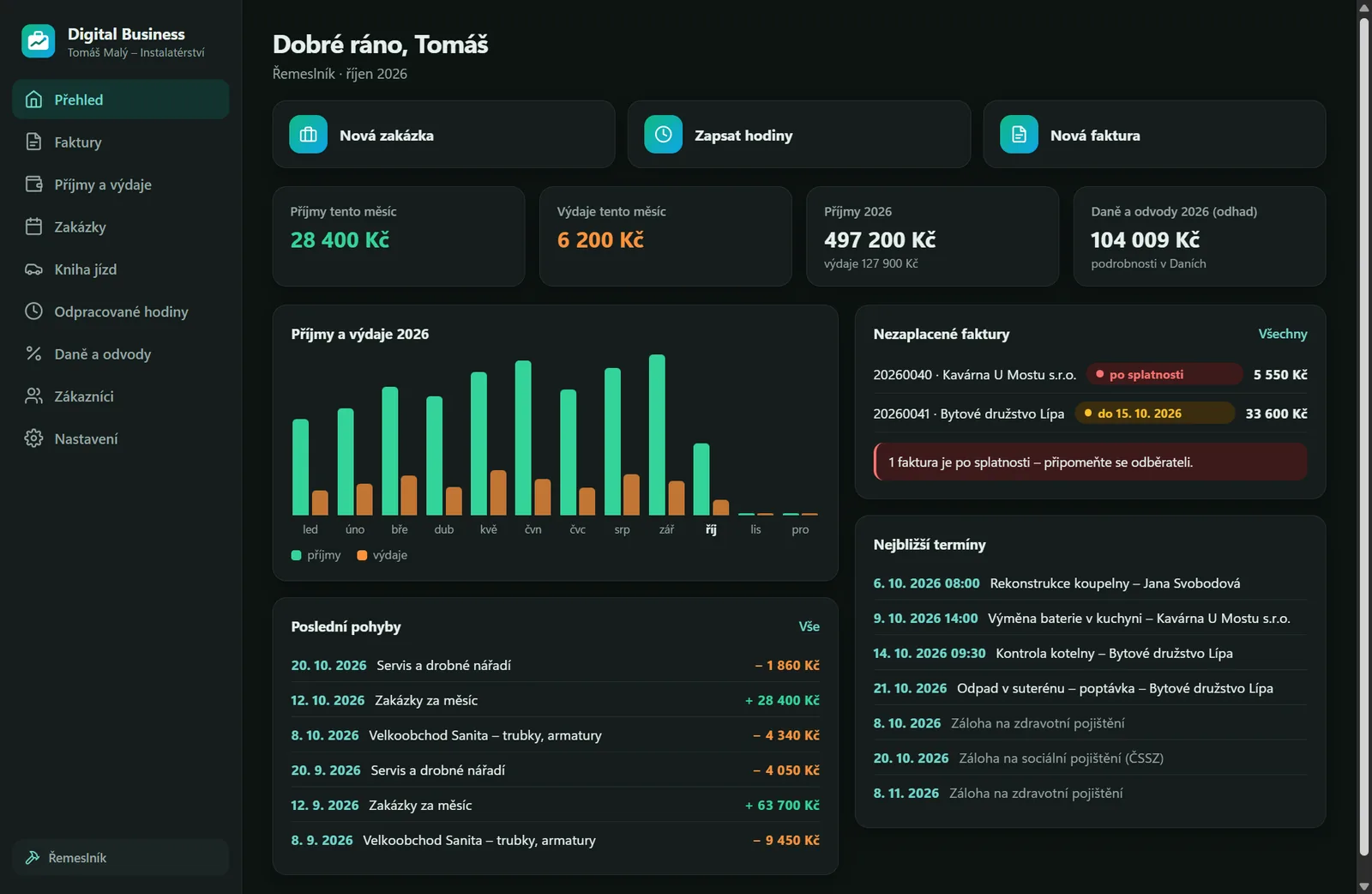
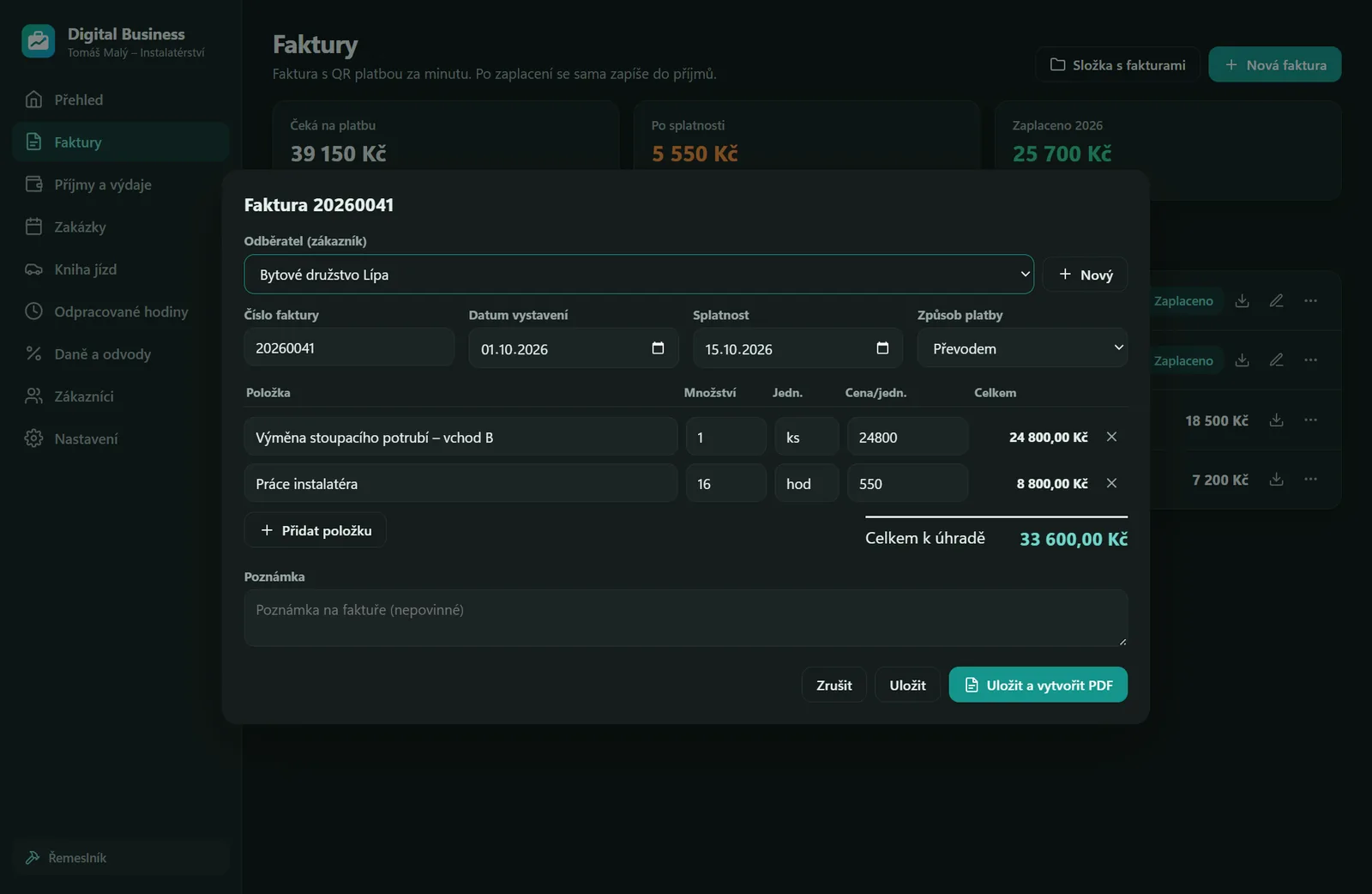
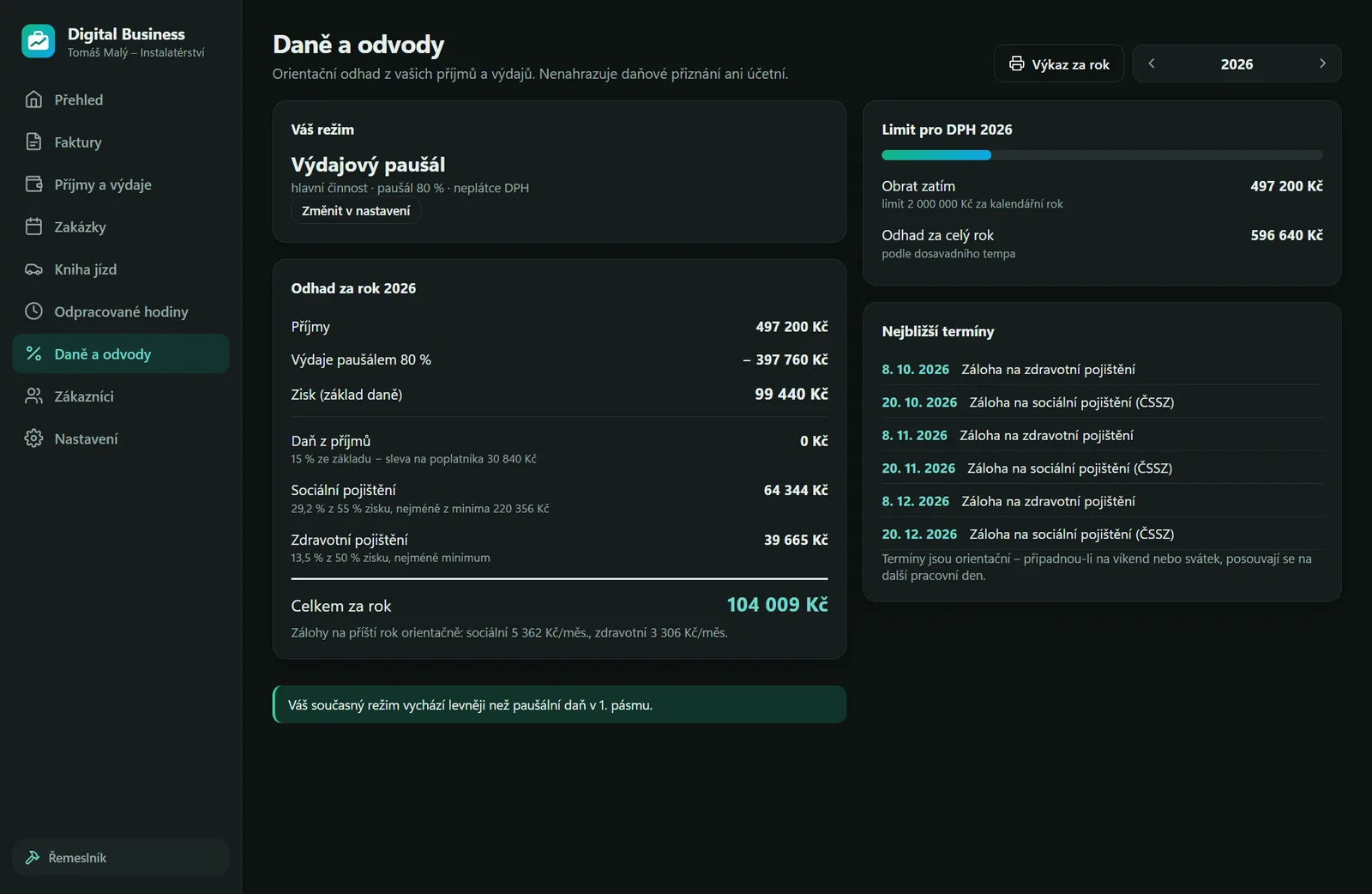
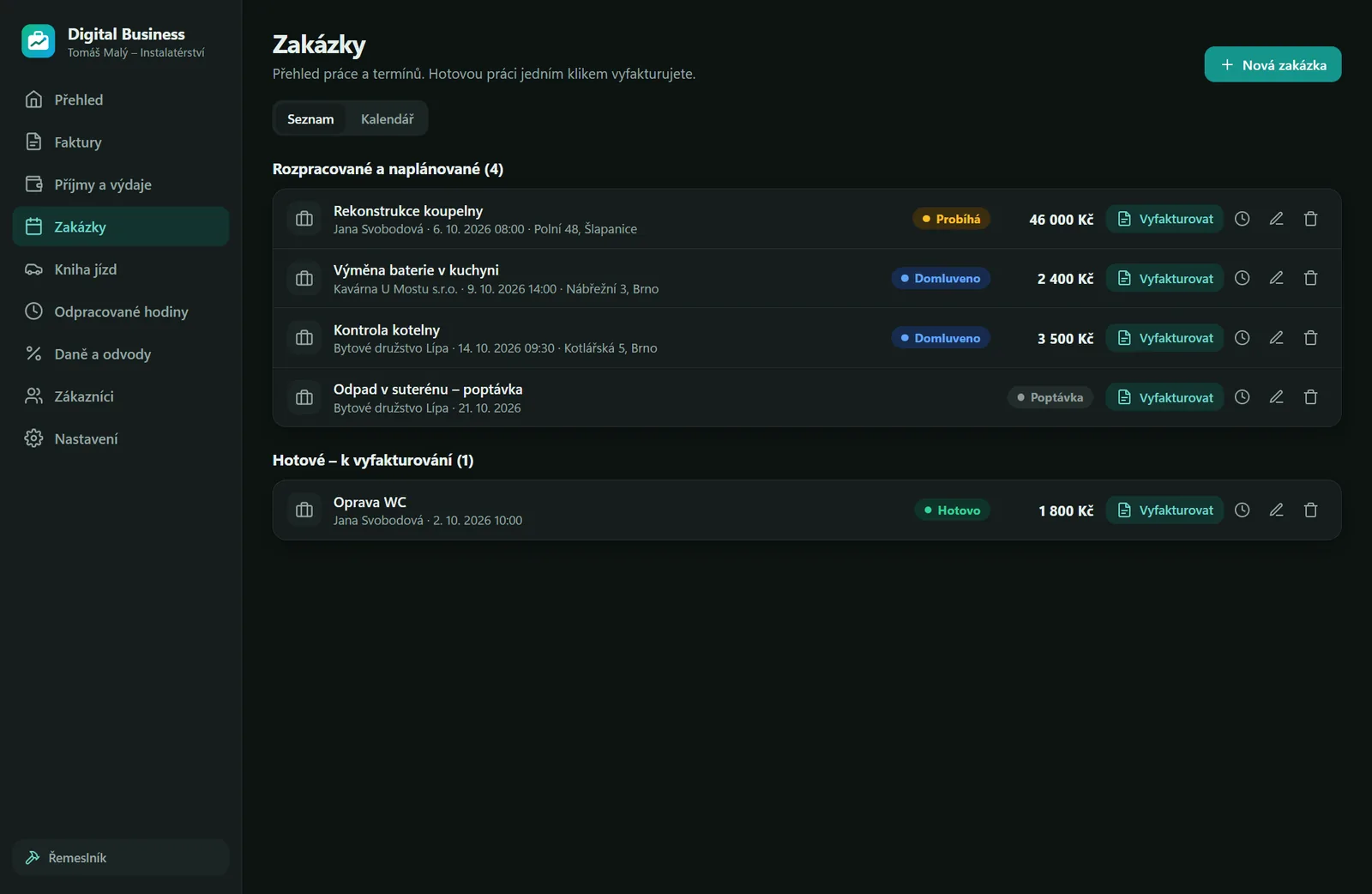
Sample data – nothing real.
Three steps
-
Install
Installation takes a moment and needs no administrator rights. No account, no sign-in.
-
Set your trade
Choose what you do for a living. The app adjusts its modules, categories and quick actions accordingly.
-
Invoice and watch the numbers
Issue an invoice with a QR payment, record income and expenses and see a running estimate of taxes and contributions.
Download Digital Business 1.4.1
The app is free. Choose your system.
Windows
Installer (.exe) · version 1.4.1c21cf20a1574d4f84a4c1286f323d6e1726ad1abf9ffae02f2af34bc76c5148eLinux
Archive (.tar.gz) · version 1.4.1 Beta8cba8259d7e81c306e63185c295169e2562dc55cc13e8cd4dc5a432136a3839a- Extract the archive:
tar xzf digital-business-1.4.1-linux-x64.tar.gz - Go into the folder and run
./install.sh. Digital Business is added to your applications menu. - To uninstall:
~/.local/share/digital-business/uninstall.sh
Android
APK · version 1.4.1 Betac1dcffe4edfd3966daa729242939bfa67852584d13a7e163b2290ffe4a70bfce- Download the APK on your phone and open it.
- Android asks whether to allow your browser to install apps. Allow it (just for this install).
- The app then offers new versions itself and downloads them from here.
Windows may show a SmartScreen warning the first time you run it. The installer is not digitally signed yet. Click More info and then Run anyway. You can verify that the file is intact with the SHA-256 checksum above.
The Linux version is still in beta. We offer it as a tar.gz archive and have not yet been able to test it on a real Linux system. If you run into a bug, let us know – that is the fastest way to get it fixed.
Android is still in beta: this version is new and we are only now testing it on real phones – if something does not work, let us know. The app is not on Google Play, you install it from this website. You can check that the APK is intact with the SHA-256 checksum on the Android card; every version is signed with the same key, so only our updates can be installed over it.
What you need
- Windows
- Windows 10 or 11, 64-bit. The installer runs without administrator rights and installs the app for your account only.
- Linux
- A 64-bit distribution with a graphical desktop. The
install.shscript installs the app into your profile and adds it to your applications menu. If your system does not allow the sandbox for ordinary users, the script prints a single command to run withsudo. - Android
- Android 8 or newer. Your data stays on the phone; back it up (or move it to and from a computer) in Settings by exporting a ZIP file. You can photograph receipts directly.
- Data
- A single file in the user profile, written so that a power failure cannot corrupt it. A backup is made every day and kept for 30 days. You can restore from a backup in Settings.
- Output
- On Windows, invoice PDFs and exports are saved to
Documents\Digital Business. When Windows blocks writing to Documents (Controlled folder access),Downloads\Digital Businessis used instead. - Internet
- The app works offline. It connects out only for a lookup in the ARES business register when you fill in a customer by company ID (only the ID is sent), a check for a new version on digital-ecosystem.cz (none of your data is sent; it can be turned off in Settings) and, for taxi drivers, weather and city events for “When to drive” (only the city name is sent). A problem report goes out only when you send it yourself and contains only your text, the app version and your system – a window screenshot only if you tick it.
- Taxes
- The estimates are based on the rates and limits for 2026. They are approximate and do not replace an accountant or a tax return.
Before you start
Is Digital Business free?
Yes. The app is free, with no ads and no account.
Does it replace my accountant?
No. The estimates of tax, social and health insurance are approximate and are meant to give you an idea of how much to set aside. The app does not replace a tax return or binding figures; check them with your accountant or with the Czech Financial Administration and ČSSZ.
Where is my data stored, and does the app send it anywhere?
Only on your computer. The app has no account, no ads and no server that data would be uploaded to. The app only connects out for the ARES register (only the company ID is sent), to check for a new version on our website and, for taxi drivers, to get weather and city events (only the city name is sent). None of your data is sent. The automatic backup on the phone is saved to Downloads / Digital Business on your phone, not to the internet.
What if I lose my data?
The app makes a backup every day and keeps it for 30 days. You can restore one in Settings. Since the data lives only with you, it is still worth copying it to an external drive now and then.
Is my trade included?
You will find taxi drivers, Bolt and Uber drivers, couriers, craftsmen, hairdressers and barbers, beauticians, IT freelancers, tutors and trainers, shops and e-shops, photographers and designers. If none fits, choose Other business with a general set of jobs, hours and invoices. Doing more than one thing – say taxi and Bolt? Add up to two more trades to your main one in Settings. Missing a trade? Write to us at info@digital-ecosystem.cz.
Is it suitable for VAT payers too?
Yes. Invoices handle VAT for VAT payers, and the app watches the threshold for becoming a VAT payer.
Something not working or missing?
Write to us
Tell us your trade, your system version and what happened. The only contact address is info@digital-ecosystem.cz.
Send an e-mailLast updated: 11 October 2026